Disclosure: This site is reader-supported. We may receive compensation when you click links to products featured on our pages. This support helps us maintain and update our content. Learn more
Top Rated

TotalAV review

TotalAV combines real-time malware protection, on-demand scanning, WebShield browsing protection, and device-cleanup tools in an approachable interface. Privacy services such as Safe Browsing VPN and advertising protection may also be available, but the exact package, device allowance, and renewal price depend on the plan.

Our verdict on TotalAV

TotalAV is easy to understand because its main tools address familiar problems: malicious files, unsafe websites, exposed browsing traffic, and accumulated temporary data. It provides more than a basic scanner without feeling as identity-service-heavy as some larger suites. The strongest value is usually in the first subscription term, so renewal pricing and included features deserve the same attention as the initial discount.

Accessible core protection

The dashboard puts scans, real-time protection, web safety, and cleanup tools in visible locations. This makes TotalAV approachable for users who do not want to navigate a highly technical security console.

Clear dashboard Everyday protection

Useful supporting tools

WebShield, system cleanup, duplicate-file review, and plan-dependent VPN access broaden the package beyond malware scanning. Their value depends on whether you need them and whether they are included in the offer you select.

WebShield Privacy tools

Pricing needs attention

TotalAV often promotes a discounted introductory term. That can make the first year attractive, but buyers should verify the subscription length, automatic-renewal status, future renewal charge, and cancellation terms before checkout.

Introductory offer Renewal review

Antivirus protection and scanning

TotalAV's paid antivirus plans are built around continuous malware monitoring and manual scan options. The free download may help scan a device, but users should not assume that every free feature includes the same real-time protection or removal capabilities as a paid subscription.

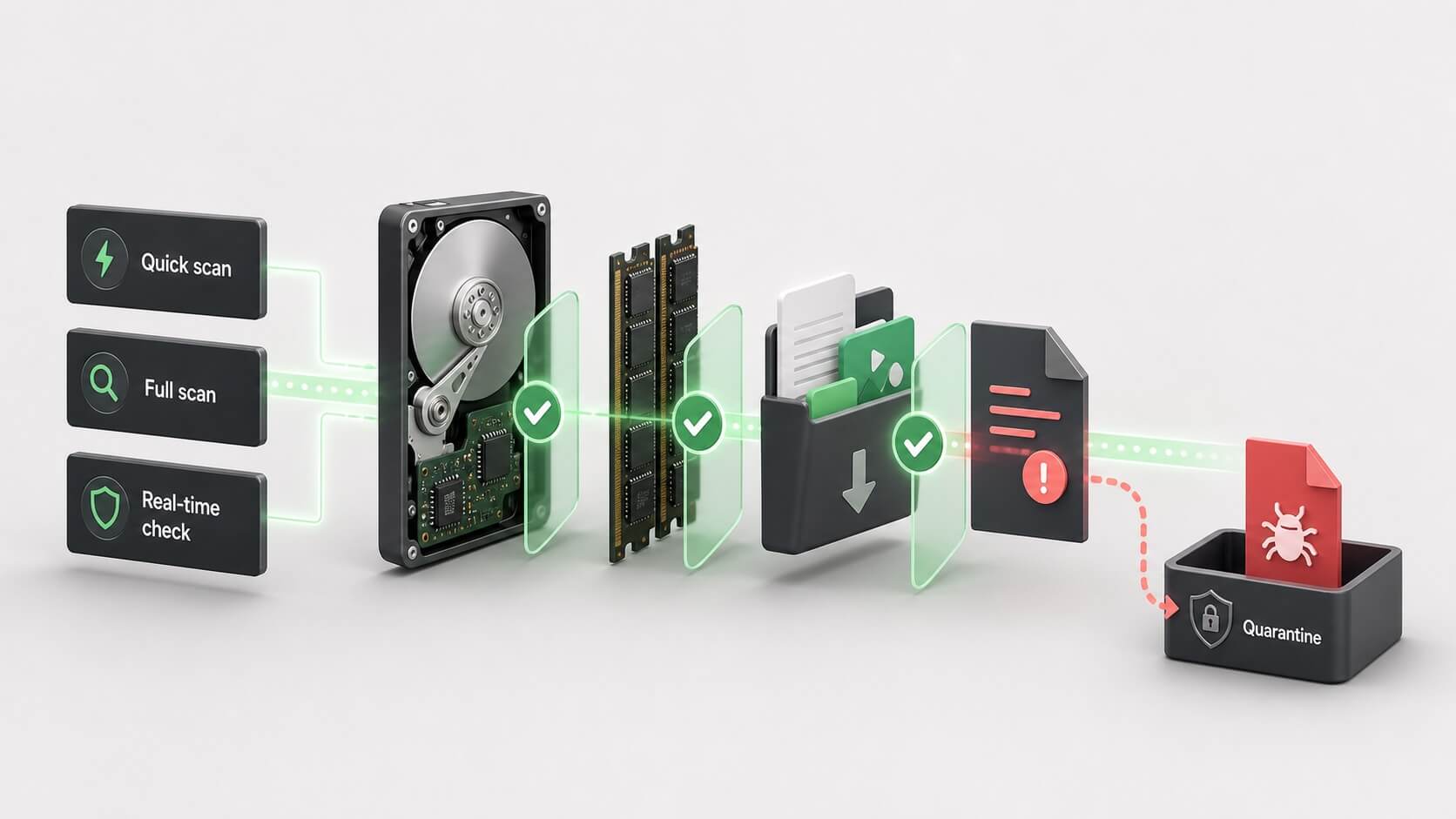
Exploded technical illustration of storage, memory, downloads, and files being scanned with a suspicious item sent to quarantine
Illustration: quick scans, full scans, real-time checks, and quarantine perform different roles. Actual TotalAV controls vary by platform and plan.

Real-time protection

Real-time protection monitors files, downloads, and activity as the device is used. Its purpose is to identify threats before they run or make unwanted changes. Confirm that the plan shown at checkout explicitly includes this feature.

Continuous monitoring Paid-plan feature

Quick and full scans

A quick scan focuses on common infection locations and active processes, while a full scan examines a wider portion of the device and usually takes longer. Targeted scanning can be useful when a particular file or folder is concerning.

Quick scan Full scan

Quarantine and response

When suspicious files are isolated, review the detection information before restoring or permanently deleting them. False alarms are possible with any antivirus, while restoring an actual threat can place the device at risk again.

Threat isolation Manual review

Independent testing context

TotalAV has appeared in testing by independent antivirus laboratories. These reports are useful for comparing protection, false alarms, and system impact, but results belong to a specific product version, operating system, sample set, and test period.

Protection measurements

Laboratories expose products to collections of known and newer threats under controlled conditions. A strong result is encouraging, but it cannot guarantee that every future file, website, or attack will be detected.

False positives

A security product must distinguish harmful activity from legitimate software. Reports that include false-alarm testing provide useful context because aggressive blocking can disrupt ordinary files and applications.

Performance impact

Lab performance scores estimate the effect on common tasks. Your experience can still differ based on device age, storage type, background apps, scan settings, and whether cleanup or VPN tools are active.

WebShield and phishing protection

Many attacks begin in the browser through fake login pages, malicious downloads, or links designed to imitate a trusted service. TotalAV's WebShield feature is intended to identify risky destinations before you enter a password or download a file.

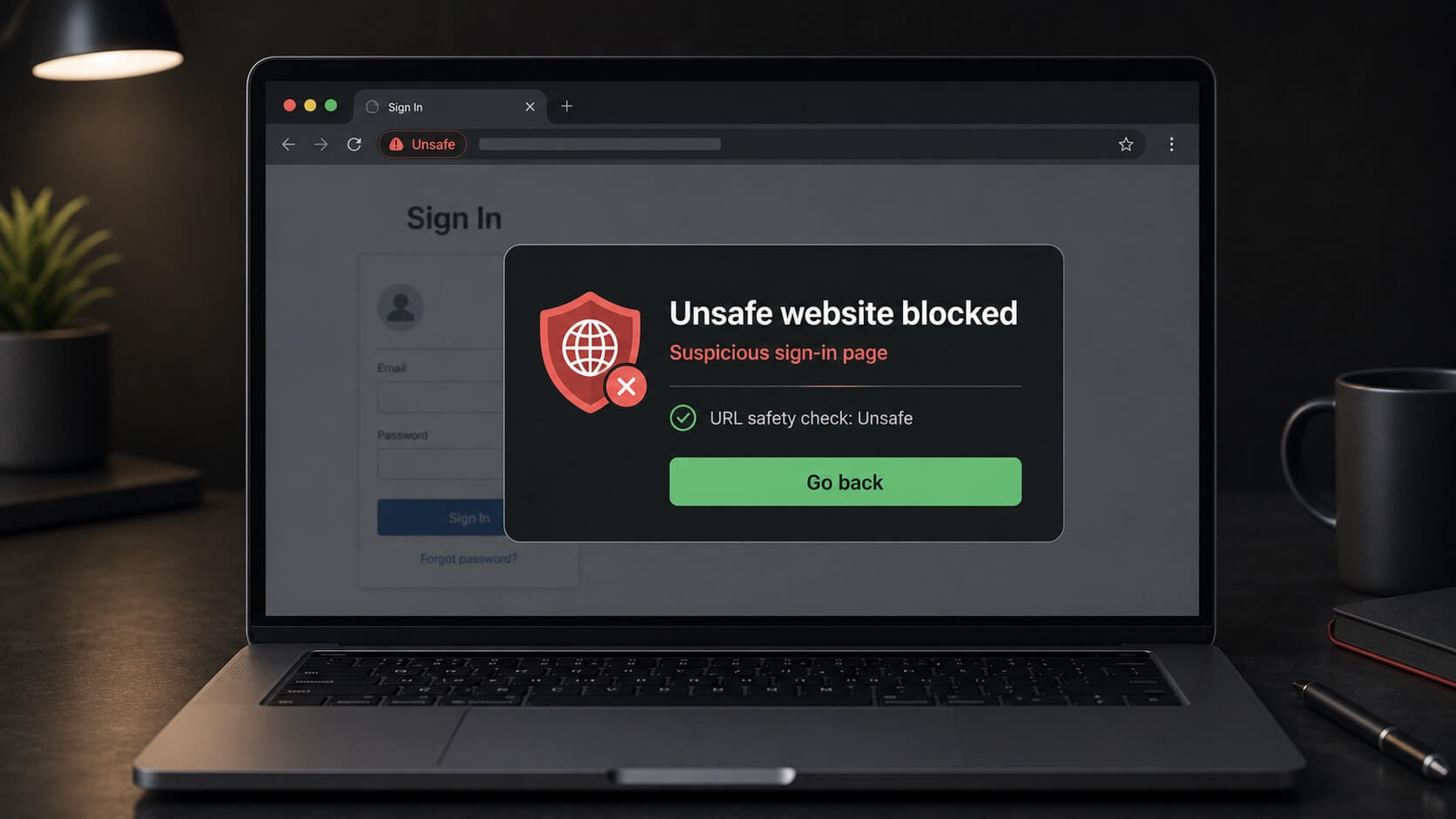
Illustration of WebShield-style protection blocking a suspicious sign-in website
Illustration: website warnings can reduce phishing risk, but no blocklist or reputation system can identify every newly created scam page.

Unsafe-site warnings

Web protection compares destinations with threat and reputation information and can warn when a page is considered dangerous. This is useful for links received through email, search results, social messages, and unexpected delivery notices.

URL checks Browser warnings

Phishing awareness

A warning is one layer, not a replacement for judgment. Check the domain carefully, avoid signing in through unsolicited links, and open important financial or email accounts through an official app or saved bookmark.

Sign-in safety User verification

Browser compatibility

Web features may rely on a supported browser, extension, or operating-system integration. Confirm compatibility with the browser you actually use, particularly on mobile devices where protection can work differently.

Browser support Platform differences

Safe Browsing VPN and privacy

TotalAV offers Safe Browsing VPN with eligible subscriptions. A VPN can improve privacy on shared networks by encrypting traffic between your device and the VPN server, but it does not replace antivirus, remove every tracking technique, or make unsafe behavior risk-free.

Public Wi-Fi use

VPN encryption is most useful when you do not control the local network, such as at a hotel, airport, or cafe. HTTPS still matters, and the VPN provider can remain part of the trust relationship.

Location and performance

Available server locations, streaming access, connection speed, and supported devices can change. Encryption and distance to the selected server may also affect latency or download performance.

Plan availability

Do not assume the lowest-priced antivirus offer includes VPN access. Check the current plan table, connection limits, supported operating systems, and any usage conditions on TotalAV's official site.

System cleanup and optimization tools

TotalAV includes utilities intended to identify temporary files, browser data, duplicate items, and startup applications. These tools can free storage or simplify startup, but they should be used as review tools rather than as a promise of dramatic performance gains.

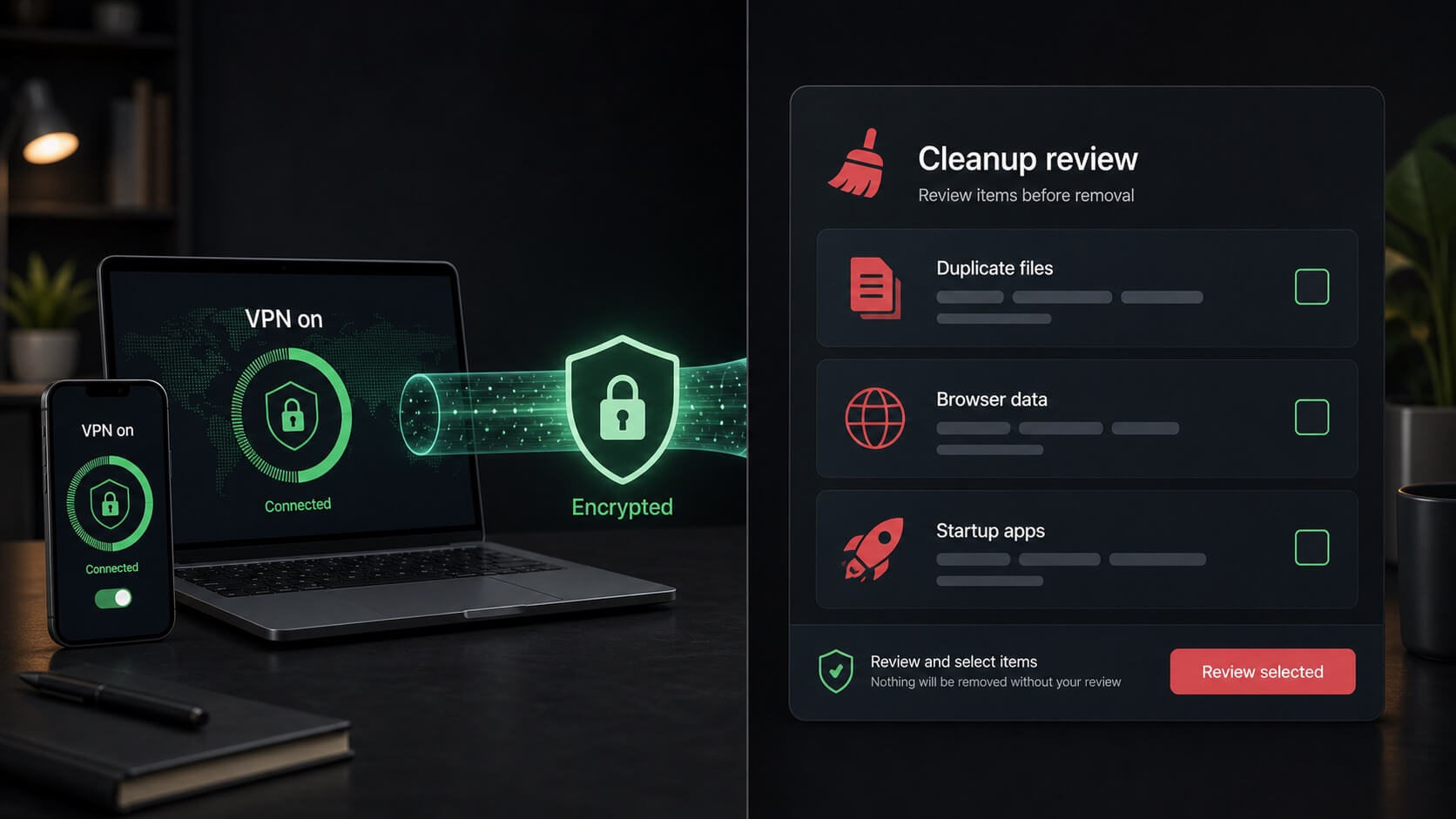
Illustration of a VPN connection beside a cleanup review for duplicate files, browser data, and startup applications
Illustration: review cleanup items before removal. Deleting data or disabling startup software can have unintended effects if selections are not checked.

Junk and browser data

Removing caches and temporary data can recover storage, but it may also sign you out of websites or remove locally useful information. Review categories instead of accepting every suggested deletion automatically.

Storage review Browser cleanup

Duplicate files

A duplicate finder can identify files that appear similar, but matching names or content do not always mean both copies are unnecessary. Photos, project files, and backups deserve extra care before deletion.

Duplicate review Manual selection

Startup management

Reducing nonessential startup applications may shorten login time on some computers. Avoid disabling security, backup, hardware, accessibility, or synchronization tools unless you understand their purpose.

Startup apps Careful changes

Advertising and password products

TotalAV may present related services such as Total Adblock or password-management products as part of a bundle, upgrade, or separate subscription. Availability changes over time, so these products should not be assumed to be included with every antivirus purchase.

Ad blocking

An ad blocker can reduce many advertisements and some tracking scripts, but websites can detect blockers or require exceptions. It does not identify every scam, replace browser updates, or stop malware outside the browser.

Password management

A password manager is useful when it creates and stores a unique password for each account. Verify whether the password product is included, sold separately, and supported on your preferred browsers and mobile devices.

Review separate renewals

Related products can have their own trial periods, billing terms, and renewal dates. Read the checkout summary carefully so you know exactly which subscriptions are being activated.

What using TotalAV is like

TotalAV's interface is designed for clear status checks and guided actions. That simplicity is a strength, although alerts and upgrade prompts can feel prominent when a feature is not included in the current subscription.

Installation and setup

After installation, allow the product to update its threat information before relying on the first scan. Activate real-time and web features deliberately, and confirm that mobile or browser components are connected to the correct account.

Guided setup Feature activation

Everyday dashboard

The main screen emphasizes protection status and direct scan controls. Cleanup, privacy, and browser tools are generally easy to locate, but some buttons may lead to features that require a different tier or related product.

Status overview Clear controls

Device performance

Background monitoring uses system resources, while full scans and cleanup analysis may be more noticeable. Actual impact depends on the device, storage, active features, and competing background tasks.

Background protection Scan scheduling

Platform and device considerations

TotalAV supports major desktop and mobile platforms, but operating-system security rules mean that the Windows, macOS, Android, and iOS experiences are not identical. Check each device instead of judging a subscription only by its total device count.

Windows and macOS

Desktop versions provide the fullest scanning and cleanup experience, but individual controls can differ. Confirm system requirements if you use an older operating-system version or limited hardware.

Android and iOS

Mobile platforms restrict how security apps inspect other applications and system files. Mobile tools therefore focus more on web safety, privacy, device status, and platform-permitted checks.

Number of protected devices

Device allowances vary by plan and can change with promotions. Count every computer, phone, and tablet you intend to use, then verify whether replacements and account transfers are permitted.

TotalAV advantages and tradeoffs

TotalAV offers a consumer-friendly combination of antivirus and supporting utilities. Its value is strongest when the included features match your needs and you understand how the subscription changes after the introductory period.

What we like

The interface is approachable, real-time and web protection cover common threat routes, and cleanup or VPN tools can reduce the need for separate utilities when they are included.

Easy to navigate Balanced toolset

What to consider

Renewal pricing may be materially higher than the introductory offer. VPN, advertising protection, device counts, and related products also require careful plan comparison.

Renewal price Bundle details

Who may prefer another option

Consider another product if you need extensive identity restoration, household credit monitoring, highly configurable firewall controls, or a plan whose long-term price is easier to predict.

Identity services Advanced controls

Before you subscribe

Check the full order summary rather than relying on the largest discount displayed on the page. Product names and promotions change, but these questions remain useful.

First term and renewal

Confirm the initial charge, subscription length, automatic-renewal setting, future renewal price, applicable taxes, and the date by which cancellation must occur to avoid another charge.

Included products

Identify whether real-time protection, VPN, ad blocking, password tools, and device cleanup are included in one subscription or presented as separate services with independent billing.

Refund and cancellation terms

Review current refund eligibility, trial conditions, cancellation steps, and support channels. The provider's checkout page and legal terms should control the final purchase decision.

How we arrived at the 9.7 rating

Our editorial score considers protection coverage, independent testing context, usability, web safety, privacy features, platform support, plan transparency, and cost-benefit value. It is not a laboratory certification or a guarantee that TotalAV will stop every threat.

Protection and usability

TotalAV earns strong marks for combining real-time protection, scans, and web safety in an interface that is easy to navigate without extensive security knowledge.

Core protection Approachable design

Feature value

Cleanup tools and eligible VPN or advertising features can make the package useful beyond antivirus, particularly when they replace services the user would otherwise purchase separately.

Supporting tools Combined value

Points requiring caution

The difference between promotional and renewal pricing, changing bundle contents, and the distinction between included and separately billed products reduce long-term clarity.

Pricing clarity Subscription scope
Does TotalAV provide real-time protection?

Paid TotalAV antivirus plans advertise real-time malware protection. A free download or scan should not be assumed to include the same continuous monitoring and removal features, so confirm the current product description.

What does WebShield do?

WebShield is intended to warn about or block websites considered malicious, fraudulent, or unsafe. It can reduce phishing and download risk, but it cannot identify every newly created scam site.

Is a VPN included with TotalAV?

Safe Browsing VPN is available with eligible TotalAV subscriptions. It is not necessarily included in the lowest-priced antivirus offer, and supported devices or connection conditions can vary.

Will TotalAV cleanup tools make my computer faster?

Removing unnecessary files or disabling unneeded startup apps can help in some situations, but no fixed speed improvement is guaranteed. Review every proposed change and keep backups of important files.

Is Total Adblock included?

Advertising protection may be included in a selected bundle, offered as an upgrade, or sold separately. Verify the current checkout summary and renewal terms instead of assuming it comes with every antivirus plan.

Can TotalAV protect phones and tablets?

TotalAV offers mobile applications, but Android and iOS impose different security restrictions from desktop systems. Feature availability and the number of covered devices depend on the plan.

Why should I check the renewal price?

The introductory discount may apply only to the first term. The later renewal charge can be higher, so review the current billing terms and automatic-renewal settings before paying.

Does this page show live pricing?

No. Prices, promotions, plan names, device allowances, and included services can change. Check TotalAV's official site for current promotional pricing and final subscription terms.